The portal your client logs into.
One branded link. They approve work, read their ad results, raise requests and settle invoices — and never see another client, your costs, or the machinery behind the work.
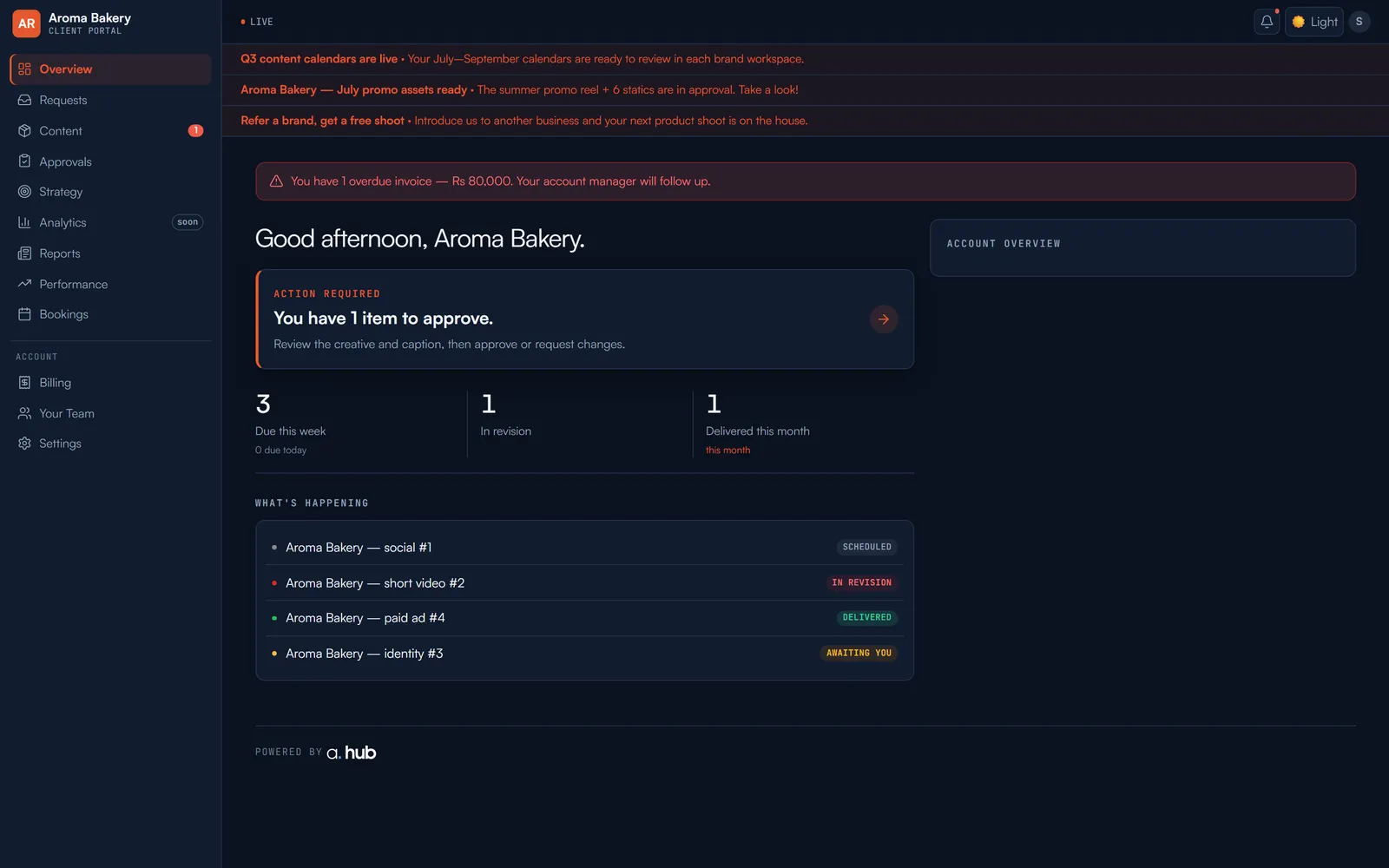
- ✓Work waiting on them, with one button to approve or ask for changes
- ✓Their live ad results — the same numbers your team works from
- ✓Every delivered file, in one link that never expires
- ✓Their invoices, what's outstanding and how to pay
- ✕Any other client's work, files or reports
- ✕Your costs, margins or client profitability
- ✕Internal chatter, staff notes or the approval gates behind the scenes
- ✕Anything editable — the portal is strictly read-only
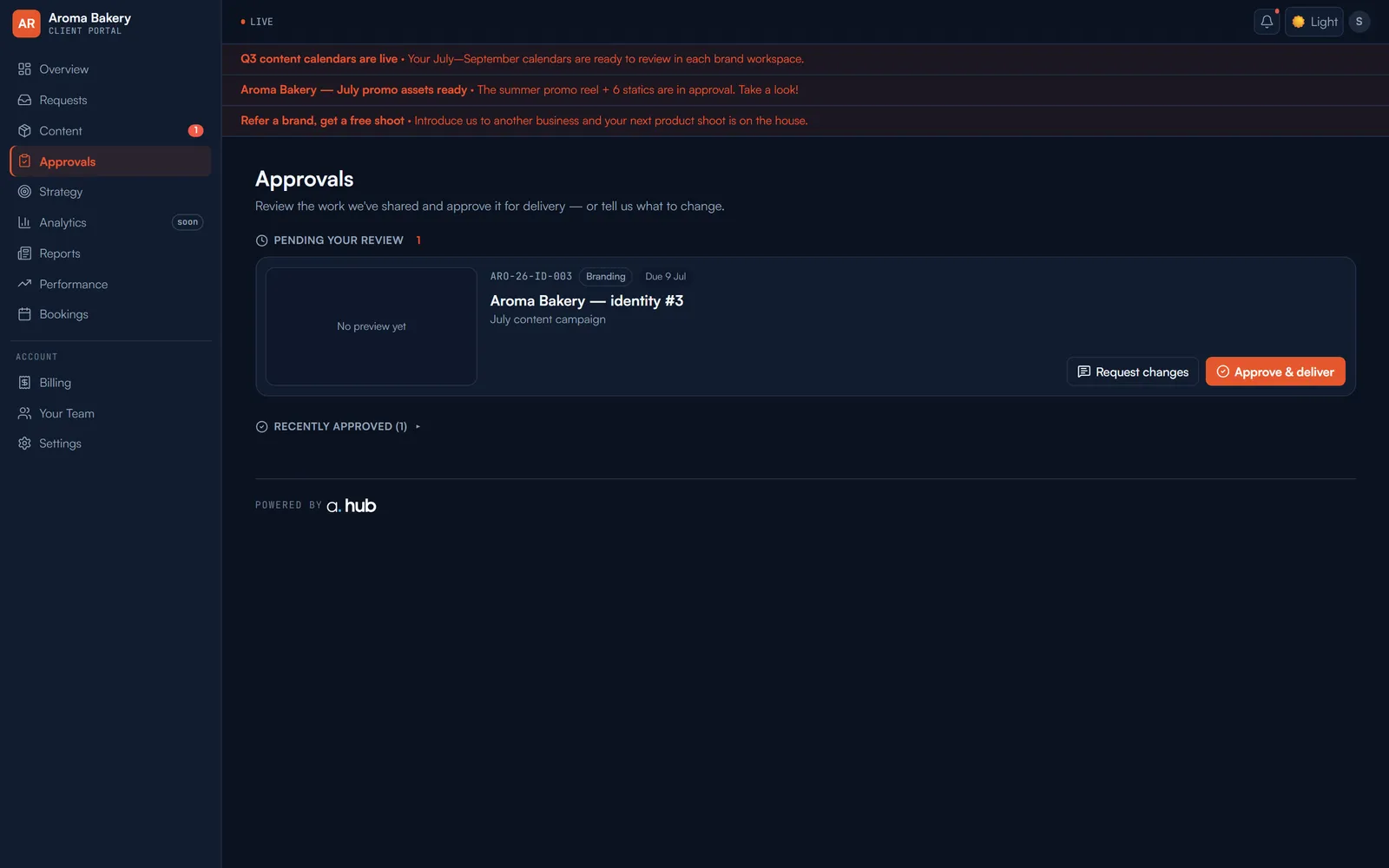
Sign-off happens here, not in email.
A deliverable clears your internal gates — Design QA, then the account manager — and only then reaches the client. They approve or request changes in one click, and the decision is recorded against the item with a timestamp.
No more hunting a chat thread to prove a client signed off on the version they later disputed.
- ✓Approve & deliver, or request changes with a note
- ✓A dated approval history on every item
- ✓Only work at the client gate ever appears
The month, as they see it.
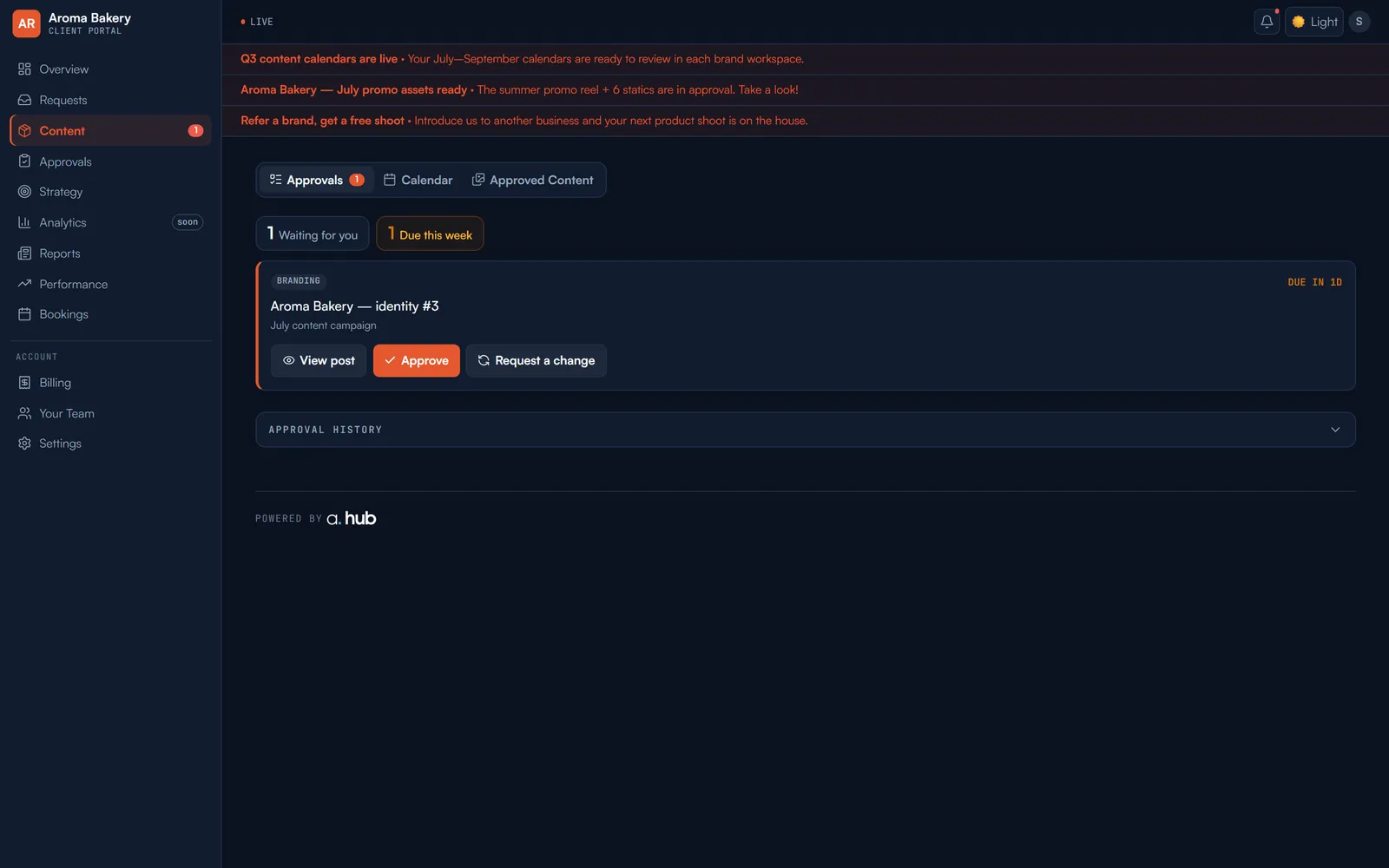
Everything you’re making for them, in one queue: what’s waiting on their review, what’s due this week, and the calendar of what’s already approved.
- ✓Waiting for you, due this week, approved — at a glance
- ✓View the post exactly as it will publish
- ✓Approve or request a change without leaving the page
The numbers they actually care about.
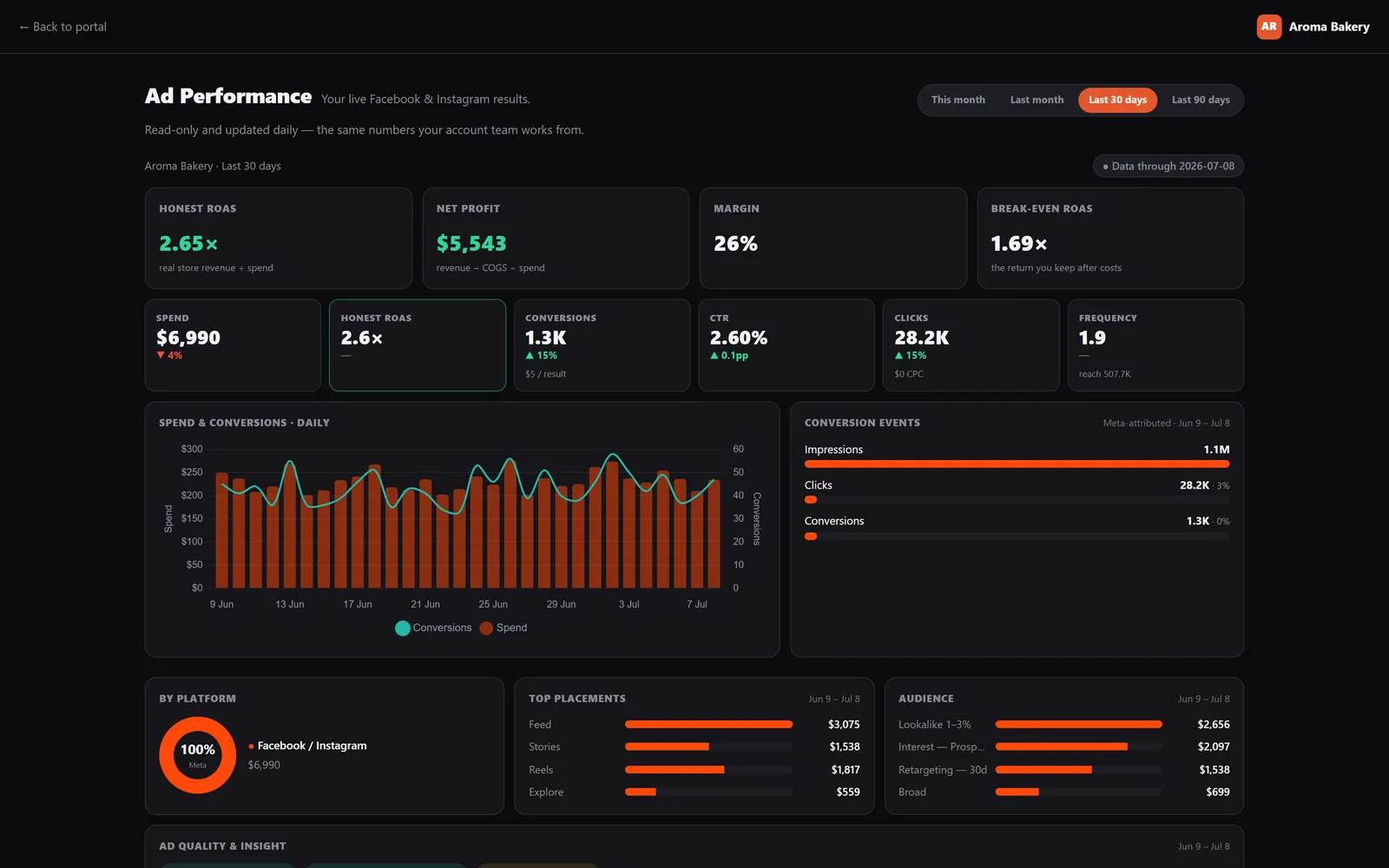
Their live Facebook and Instagram results, pulled from the ad account — the same numbers your team works from. Not a screenshot pasted into a slide once a month.
- ✓Honest ROAS, net profit and margin — not just spend
- ✓Break-even ROAS, so they know what "good" means
- ✓Daily spend and conversions, placements and audience
- ✓Read-only and updated daily
The two things that usually clog your inbox.
Clients ask for work and ask about invoices. Both belong in the portal, attached to the account, instead of a message thread someone has to remember to action.
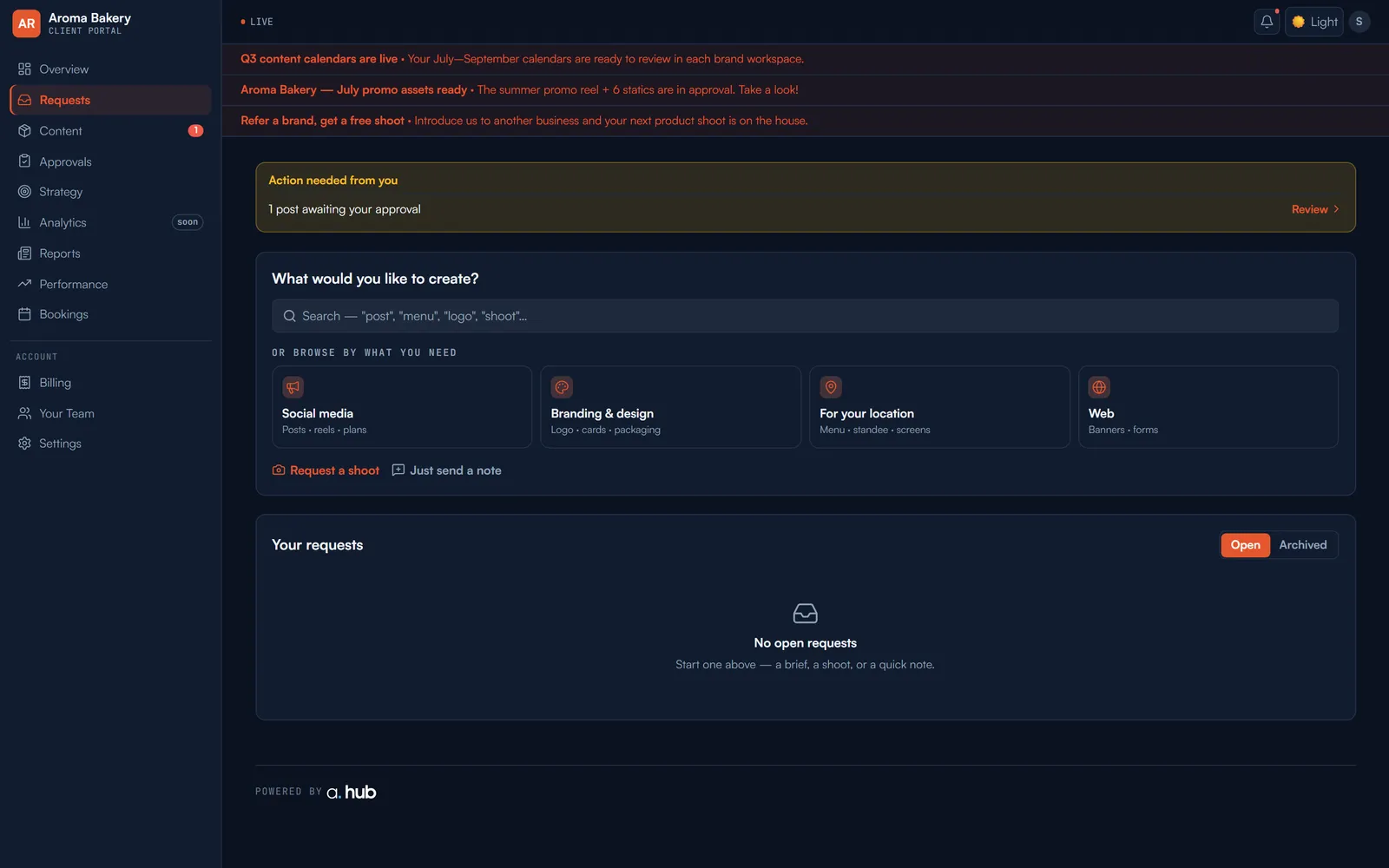
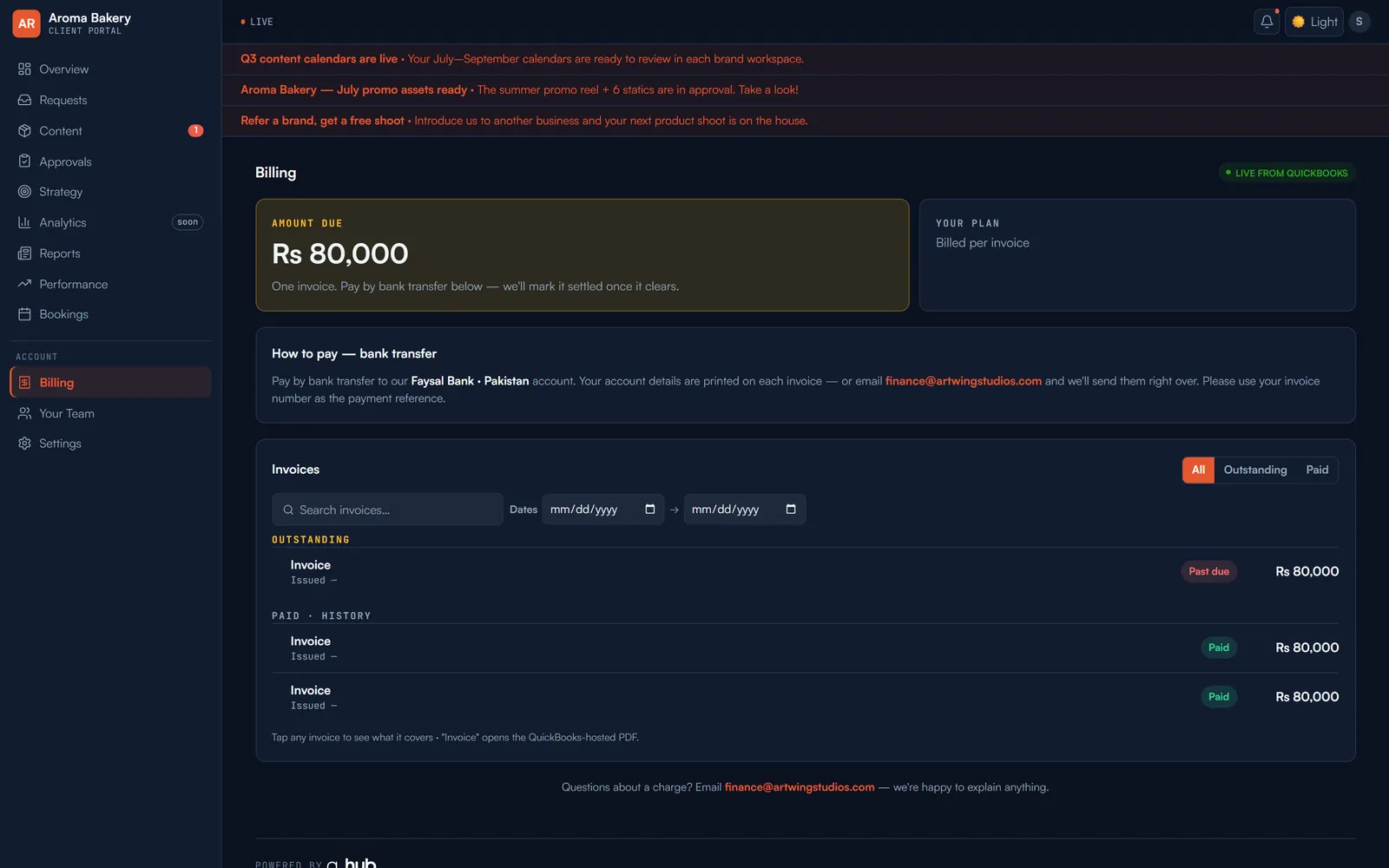
Your brand, start to finish.
The portal carries your logo, your colours and your agency name. Your clients never see a.hub, beyond a small credit in the footer.
How white-label works →Questions, answered
No. The portal is a web link. They sign in with their email and see only their own account.
No. Every client is scoped to their own record, and the portal is read-only. An automated probe runs on every deploy to prove no tenant can see another's data.
No. Internal chatter, staff costs and profitability never reach the portal. They see the work, the results, the approvals and their invoices.
The item moves to delivered and the decision is recorded against it with a timestamp — so there's a paper trail if they later ask when they signed off.
Yours. Your logo, your colours, your agency name. Only a small “powered by a.hub” credit remains in the footer.
One flat price. Not fifteen per-seat bills.
a. hub replaces this whole stack for $799/mo — unlimited seats. Most growing agencies save $1,000–4,000 a month.


Open one and see for yourself.
The demo includes six client portals. We’ll email you a login so you can walk them the way your client would.
Explore the live demo →